
Google Apps Script vs Zapier vs n8n: Which Should You Use for Google Sheets Automation?
When a business decides to automate something in Google Sheets, the first question is usually which tool to use. The three we build with most are Google Apps Script, Zapier (or its cousin Make) and n8n. Each is the right answer for a different kind of job, and picking the wrong one is the most common reason an automation becomes expensive or fragile a few months later.
The short version
- Apps Script when the work lives inside Google Workspace: Sheets, Gmail, Docs, Drive, Calendar and Forms.
- Zapier or Make for simple, low-volume links between popular apps, set up quickly.
- n8n for multi-step workflows across many systems, high volumes, or when you want to self-host.
Google Apps Script
Apps Script is JavaScript that runs on Google’s servers, inside your own Google account. It can read and write Sheets, send Gmail, build Docs and PDFs, check Calendar, add custom menus and sidebars, and call outside APIs.
Why clients like it:
- It runs in your account. The code, the data and the triggers belong to you. Nothing sits on a third-party platform.
- No per-task fees. There is no meter running per email or per row. It is included with Google Workspace and free Gmail accounts, within Google’s daily quotas.
- Deep Google features. Locking, protected ranges, custom sidebars and document generation are hard or impossible in no-code tools.
Watch out for: each run stops after 6 minutes, and there are daily quotas for email and trigger run time. Good scripts batch their work to stay well inside them.
Real example: a retailer’s two 10,000-row product sheets had 1,013 duplicate barcodes. Matching logic in Apps Script now cleans them in minutes, work that took two people a full day.
Zapier and Make
Zapier and Make connect thousands of apps through a visual editor: when this happens, do that. A simple workflow can be live in an afternoon.
Good for: “new form entry → add CRM contact → send welcome email” type flows, and teams who want to edit automations without code.
Watch out for: both are billed by usage (tasks in Zapier, operations or credits in Make). A flow that processes every row of a busy sheet can quietly become one of your larger software bills, and complex branching gets awkward to maintain.
n8n
n8n is a workflow tool with a visual editor that also lets you write code in any step. It can run on n8n’s cloud or on your own server.
Good for: lead routing that touches a form, a CRM, an AI model and Slack in one go; anything with branching, loops and retries; and high volumes, where self-hosting keeps cost flat.
Watch out for: self-hosting means someone owns the server, updates and backups.
How we decide on real projects
| If the job is mostly… | We usually pick |
|---|---|
| Inside Google Sheets, Gmail, Docs or Calendar | Apps Script |
| A simple link between two popular apps, low volume | Zapier or Make |
| Many systems, AI steps, branching or high volume | n8n |
| A mix | Apps Script for the Google side, n8n for the rest |
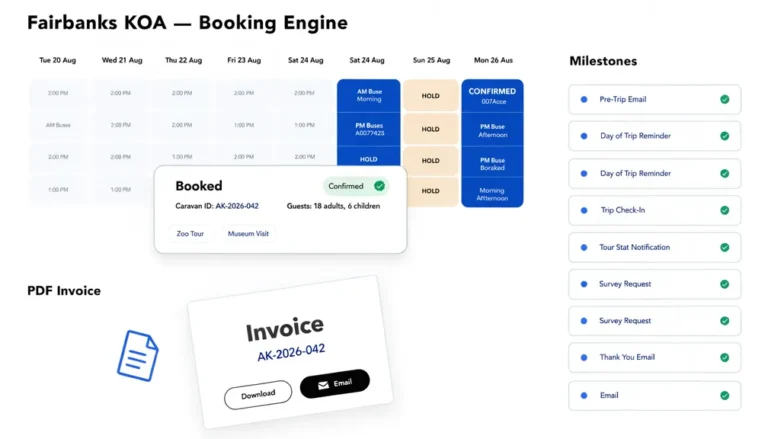
Mixing is normal. A booking system might use Apps Script for invoices and calendar checks, and n8n to push new leads from the website into the CRM and Slack.
The question that matters most
Ask “who will own and change this in a year?” If the answer is your office manager, keep the rules they’ll change, such as prices, email wording and who gets notified, in a settings tab rather than buried in code or a visual editor. That one decision saves more maintenance cost than the choice of tool.
Not sure which fits your process? Book a free Workflow Audit. We’ll recommend the tool, and if automation isn’t worth it, we’ll say so.